
Error handling
Errors reach you in three ways, depending on the API.
Editor errors: the onError event
The editor emits onError with a human-readable message and a machine-readable errorCode:
import VideoTrim, { type ErrorCode } from 'react-native-video-trim';

VideoTrim.onError(({ message, errorCode }) => {
  switch (errorCode as ErrorCode) {
    case 'FAIL_TO_LOAD_MEDIA':
      showToast('This file cannot be opened.');
      break;
    case 'NO_PHOTO_PERMISSION':
      showToast('Allow photo access to save videos.');
      break;
    case 'HARDWARE_ENCODER_FAILED':
      reportToCrashlytics(message);
      break;
    default:
      console.warn(errorCode, message);
  }
});
Error codes
ErrorCode lists the codes the native code can send. Not every code exists on both platforms, and new ones may be added, so always keep a default branch.
| Code | Platform | Meaning |
|---|---|---|
FAIL_TO_LOAD_MEDIA | iOS, Android | The file or URL could not be opened. |
TRIMMING_FAILED | iOS, Android | FFmpeg failed while producing the output. |
HARDWARE_ENCODER_FAILED | iOS, Android | The FFmpeg log shows that the video encoder failed to initialize. On Android this is reported only after the fallback encoders have been tried. See Android encoder fallback. |
OUTPUT_FORMAT_INCOMPATIBLE | iOS | The container and codecs cannot be combined in the output. |
FAIL_TO_SAVE_TO_PHOTO | iOS, Android | Saving to the photo library failed. |
NO_PHOTO_PERMISSION | iOS | Photo library access was denied. |
FAIL_TO_SHARE | iOS | The share sheet failed. |
INVALID_FILE_PATH | iOS | The path is not usable. Declared, but not currently emitted. |
FAIL_TO_SAVE_TO_DOCUMENTS | Android | Saving through the document picker failed. |
FAIL_TO_GET_VIDEO_INFO | Android | Media metadata could not be read. |
FAIL_TO_INITIALIZE_AUDIO_PLAYER | Android | The audio player could not start. |
UNKNOWN | Android | Any other failure, for example no current activity. |
Headless errors: rejected Promises
Headless functions reject with an Error. For FFmpeg failures the message includes the full FFmpeg log, which is what you want in a bug report:
try {
  await compress(videoUri, { quality: 'low' });
} catch (e) {
  const message = e instanceof Error ? e.message : String(e);
  console.warn(message.split('\n')[0]); // e.g. "Compression failed: rc 1"
  logger.debug(message); // full FFmpeg output
}
Invalid arguments: thrown synchronously
deleteFile(), saveToPhoto(), saveToDocuments(), share(), merge() and mixAudio() check their arguments before calling native code and throw (instead of rejecting) on an empty path or an empty list. Validate the arguments first, or call and await these functions inside the same try block:
try {
  await share(outputPath); // throws synchronously if outputPath is ''
} catch (e) {
  // both thrown and rejected errors end up here
}
When media cannot be loaded
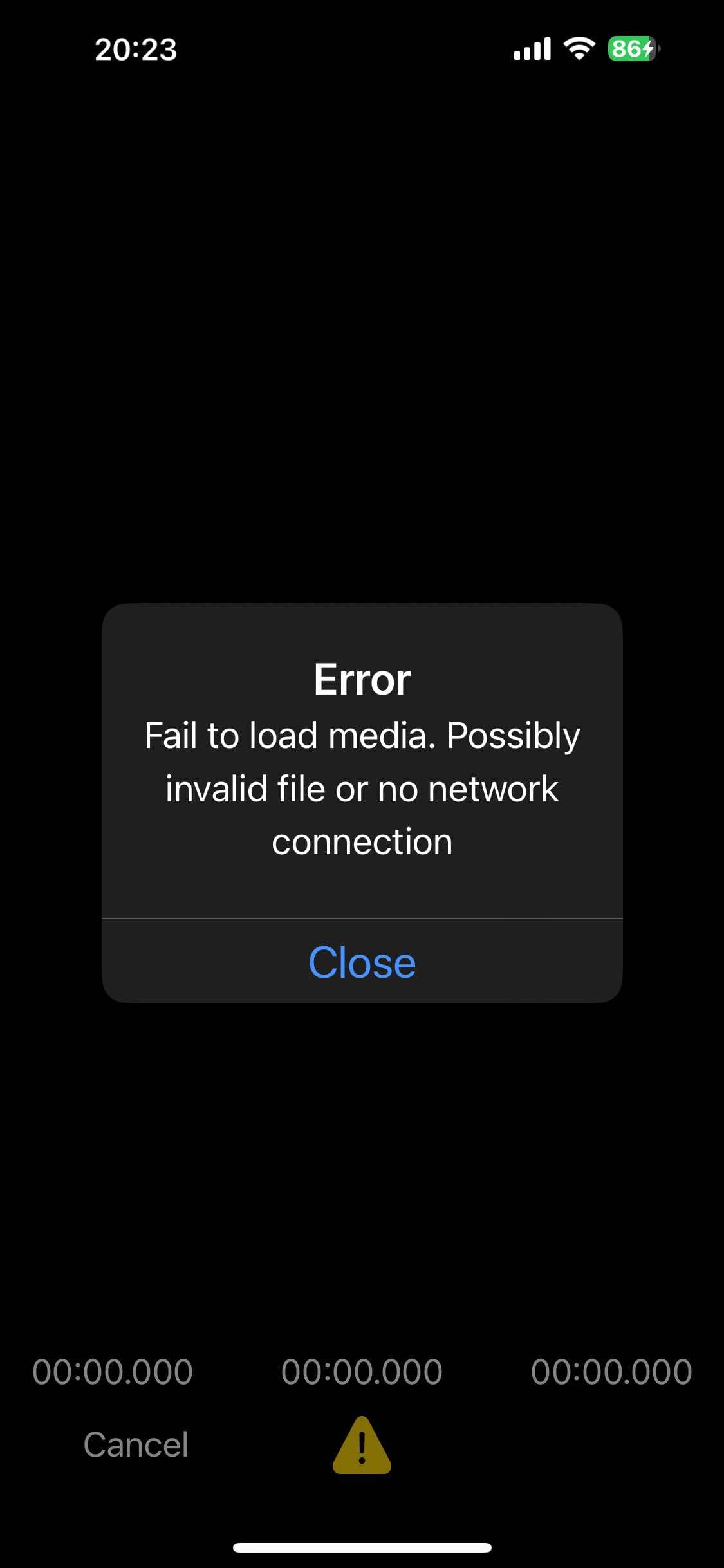
By default, when the media fails to load, the editor shows an alert and emits onError with FAIL_TO_LOAD_MEDIA. You can reword the alert, or turn it off with alertOnFailToLoad: false and show your own UI:
showEditor(videoUri, {
  alertOnFailToLoad: true,
  alertOnFailTitle: 'Oops!',
  alertOnFailMessage: 'This video cannot be loaded.',
  alertOnFailCloseText: 'OK',
});
Avoiding errors
- Check files with
isValidFile()before opening them. - Use the
httpsFFmpegKit package for remote files. - Ask for photo permission before using
saveToPhoto. - Pass local files to
merge()andmixAudio().