
Files and saving
Where files are written
| Produced by | Directory | Lifetime |
|---|---|---|
showEditor(), trim() | App documents (iOS) / filesDir (Android) | Kept until you delete it. |
getFrameAt(), extractAudio(), compress(), toGif(), merge(), mixAudio() | Caches (iOS) / cacheDir (Android) | The OS may purge it when storage runs low and your app is not running. |
Whichever API produced a file, delete it when you are done with it. Move anything you want to keep to permanent storage, or save it with one of the functions below.
Saving and sharing
These functions work with the output of any API.
Save to Photos
saveToPhoto(filePath: string): Promise<SaveToPhotoResult>Saves an image or a video to the photo library. The type is detected from the file extension, so frames from getFrameAt() are saved as photos. Requires the photo library permission on iOS, and the storage permission on Android 9 and older.
import { compress, saveToPhoto } from 'react-native-video-trim';

const { outputPath } = await compress(videoUri, { quality: 'medium' });
const { success } = await saveToPhoto(outputPath);
Save to Documents
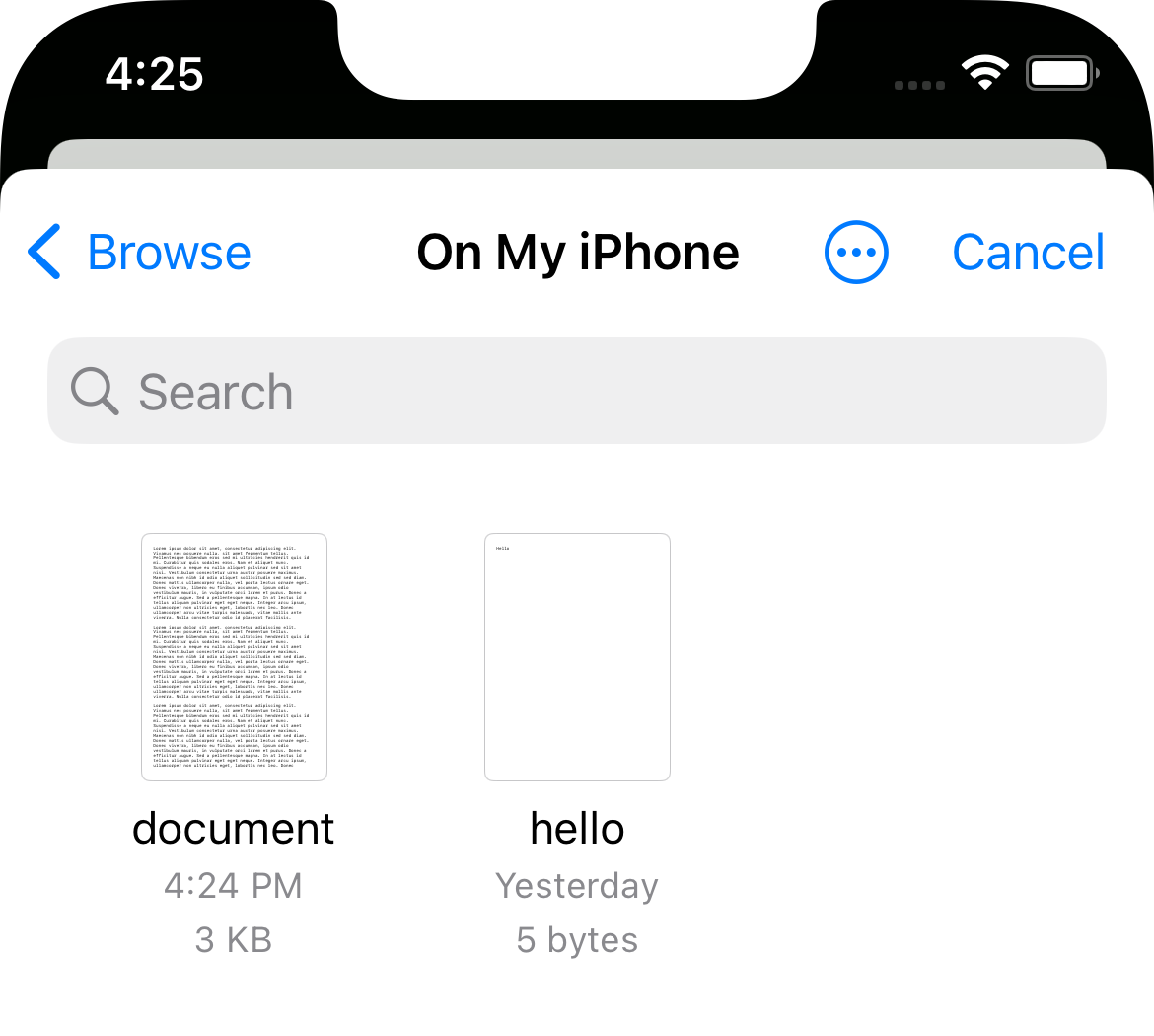
saveToDocuments(filePath: string): Promise<SaveToDocumentsResult>Opens the system document picker (UIDocumentPickerViewController on iOS, the Storage Access Framework on Android) so the user chooses where to save the file.
Share
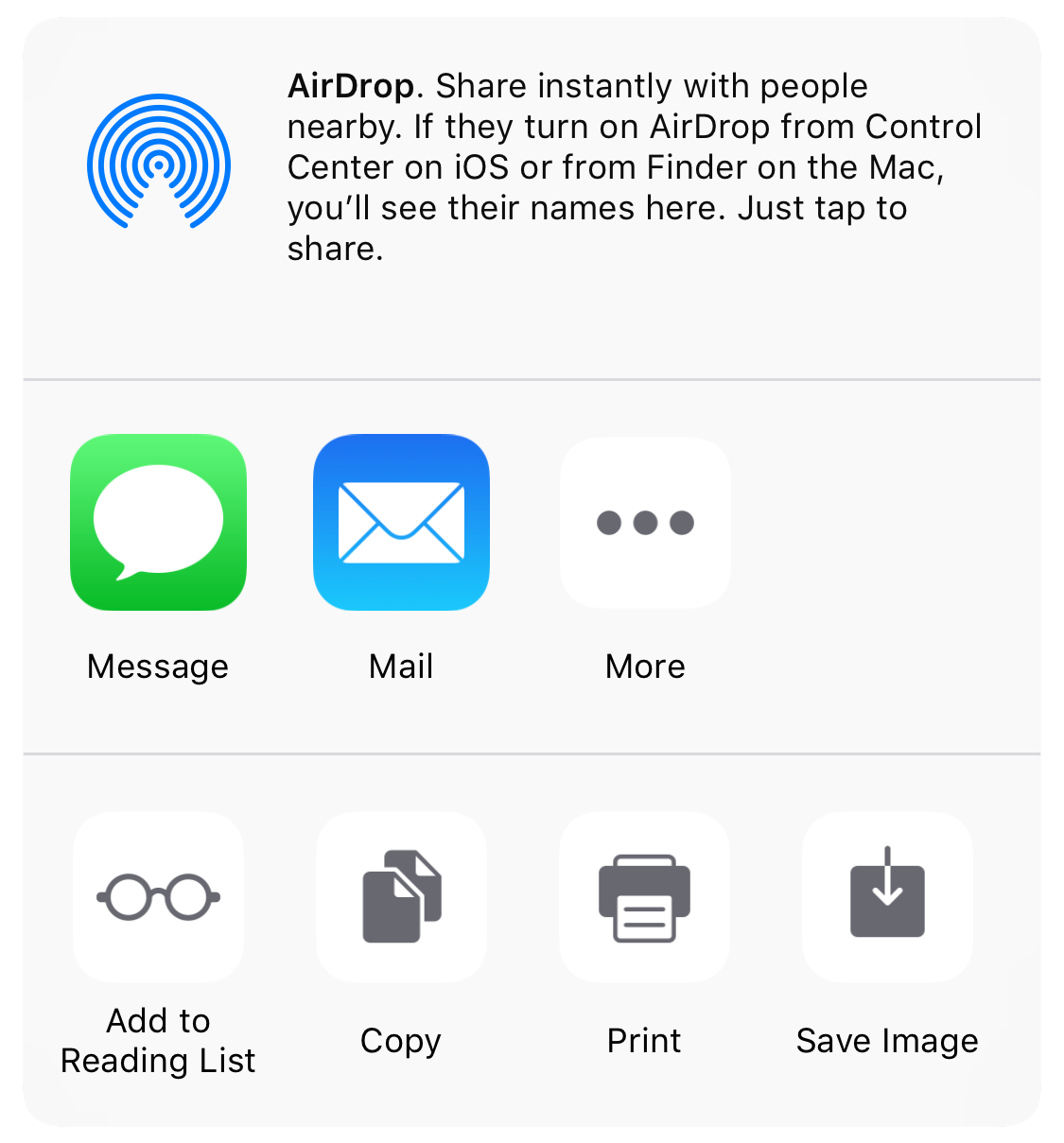
share(filePath: string): Promise<ShareResult>Opens the share sheet. On Android the file must be inside the library's output directories, where every output is written anyway.
const { outputPath } = await merge([clip1, clip2]);
const { success } = await share(outputPath);
The editor can do the same after the user saves, through saveToPhoto, openDocumentsOnFinish and openShareSheetOnFinish, and then delete the file with the removeAfter* options. See When the user saves.
All three functions throw synchronously when filePath is empty.
Managing outputs
| Function | Returns | Description |
|---|---|---|
listFiles() | Promise<string[]> | All outputs in both directories. |
cleanFiles() | Promise<number> | Deletes all outputs, returns how many were removed. |
deleteFile(path) | Promise<boolean> | Deletes one output. On Android, paths outside the output directories are refused and resolve to false. |
isValidFile(url) | Promise<FileValidationResult> | Checks that a file is playable audio or video. |
import { cleanFiles, deleteFile, isValidFile, listFiles } from 'react-native-video-trim';

// Validate before opening the editor
const { isValid, fileType, duration } = await isValidFile(uri);
if (!isValid) {
  console.warn('Not a playable media file');
}

// Remove one file
await deleteFile(outputPath);

// Housekeeping, for example on app start
const files = await listFiles();
const removed = await cleanFiles();
console.log(`Removed ${removed} of ${files.length} files`);
isValidFile() resolves with an object, not a boolean. Check isValid; fileType is 'video', 'audio' or 'unknown' and duration is in milliseconds (-1 when invalid).