
Opening the editor
showEditor(filePath: string, config: EditorOptions): voidshowEditor() presents the native trimmer full screen. filePath can be a local path, a file:// URI, or an HTTPS URL if you installed the https FFmpegKit package. Every option is optional, but always pass an object ({} is fine).
import { showEditor } from 'react-native-video-trim';

showEditor(videoUri, {
  maxDuration: 60_000,
  minDuration: 3_000,
  autoplay: true,
  saveToPhoto: true,
  openShareSheetOnFinish: true,
  headerText: 'Trim your video',
});
The function returns immediately. What happens next is reported through events: onShow, onLoad, onStartTrimming, onFinishTrimming, onCancel, onHide and so on. Call closeEditor() to dismiss it from code.
The options are typed as EditorOptions. The tables below group the most useful ones; the API reference for EditorConfig lists every field.
Media and output
| Option | Type | Default | Description |
|---|---|---|---|
type | 'video' | 'audio' | 'video' | Media type. 'audio' shows a waveform. |
outputExt | string | 'mp4' | Output file extension, for example 'mov', 'wav', 'm4a'. |
maxDuration | number | -1 (no limit) | Longest allowed selection, in ms. |
minDuration | number | -1 | Shortest allowed selection, in ms. The editor never allows less than 1 s. |
enablePreciseTrimming | boolean | false | Re-encode for frame-accurate cuts. See Precise trimming. |
removeAudio | boolean | false | Remove the audio from the output. The editor opens muted, and the output stays silent even if the user unmutes. See Speed and mute. |
speed | number | 1.0 | Initial speed, 0.25 to 4. |
Playback
| Option | Type | Default | Description |
|---|---|---|---|
autoplay | boolean | false | Start playing when the media is loaded. |
jumpToPositionOnLoad | number | -1 | Seek to this position (ms) after loading. |
zoomOnWaitingDuration | number | 5000 | When the user holds a handle still, the timeline zooms in to show this many ms around it for finer adjustment. |
enableHapticFeedback | boolean | true | Haptic feedback while dragging the handles and when they reach either end. |
enableEditTools | boolean | true | Show the toolbar (flip, rotate, crop, mute, speed, undo, redo). Video only. |
When the user saves
| Option | Type | Default | Description |
|---|---|---|---|
saveToPhoto | boolean | false | Save the output to the photo library. Needs permission. |
openDocumentsOnFinish | boolean | false | Open the system document picker so the user can save the output. |
openShareSheetOnFinish | boolean | false | Open the share sheet with the output. |
closeWhenFinish | boolean | true | Dismiss the editor after a successful trim. |
removeAfterSavedToPhoto | boolean | false | Delete the output after saving it to Photos. |
removeAfterFailedToSavePhoto | boolean | false | Delete the output if saving to Photos failed. |
removeAfterSavedToDocuments | boolean | false | Delete the output after saving it through the document picker. |
removeAfterFailedToSaveDocuments | boolean | false | Delete the output if saving to documents failed. |
removeAfterShared | boolean | false | Delete the output after sharing (iOS only). |
removeAfterFailedToShare | boolean | false | Delete the output if sharing failed (iOS only). |
Text and appearance
| Option | Type | Default | Description |
|---|---|---|---|
theme | 'dark' | 'light' | 'dark' | Editor theme. See Theming. |
headerText | string | '' | Title at the top of the editor. |
headerTextSize | number | 16 | Title size in sp/pt. |
headerTextColor | color string | theme based | Title color. |
trimmerColor | color string | '#f1d247' | Color of the trimmer frame and handles. |
handleIconColor | color string | theme based | Color of the chevrons on the handles. |
cancelButtonText | string | 'Cancel' | Cancel button label. |
saveButtonText | string | 'Save' | Save button label. |
trimmingText | string | 'Trimming video...' | Text in the progress dialog. |
durationFormat | string | 'mm:ss.SSS' | Format of the time labels, see below. |
fullScreenModalIOS | boolean | false | iOS: present as a full-screen modal instead of a sheet. |
changeStatusBarColorOnOpen | boolean | false | Android: make the status bar black while the editor is open. |
Time label format
durationFormat controls the start, current and end labels. It does not change event payloads, which are always raw milliseconds.
| Value | Example |
|---|---|
'mm:ss' | 01:23 |
'mm:ss.SS' | 01:23.45 |
'mm:ss.SSS' (default) | 01:23.456 |
'hh:mm:ss' | 00:01:23 |
'hh:mm:ss.SSS' | 00:01:23.456 |
Unknown values fall back to the default.
Confirmation dialogs
Every dialog can be switched off or reworded, which is also how you localize the editor.
| Dialog | Switch | Text options |
|---|---|---|
| Cancel the editor | enableCancelDialog (true) | cancelDialogTitle, cancelDialogMessage, cancelDialogCancelText, cancelDialogConfirmText |
| Save | enableSaveDialog (true) | saveDialogTitle, saveDialogMessage, saveDialogCancelText, saveDialogConfirmText |
| Cancel a running trim | enableCancelTrimmingDialog (true) | cancelTrimmingDialogTitle, cancelTrimmingDialogMessage, cancelTrimmingDialogCancelText, cancelTrimmingDialogConfirmText |
| Media failed to load | alertOnFailToLoad (true) | alertOnFailTitle, alertOnFailMessage, alertOnFailCloseText |
showEditor(videoUri, {
  cancelButtonText: 'Quay lại',
  saveButtonText: 'Xong',
  saveDialogTitle: 'Lưu video?',
  saveDialogMessage: 'Đoạn video đã chọn sẽ được lưu.',
  saveDialogCancelText: 'Không',
  saveDialogConfirmText: 'Lưu',
});
Progress and cancelling
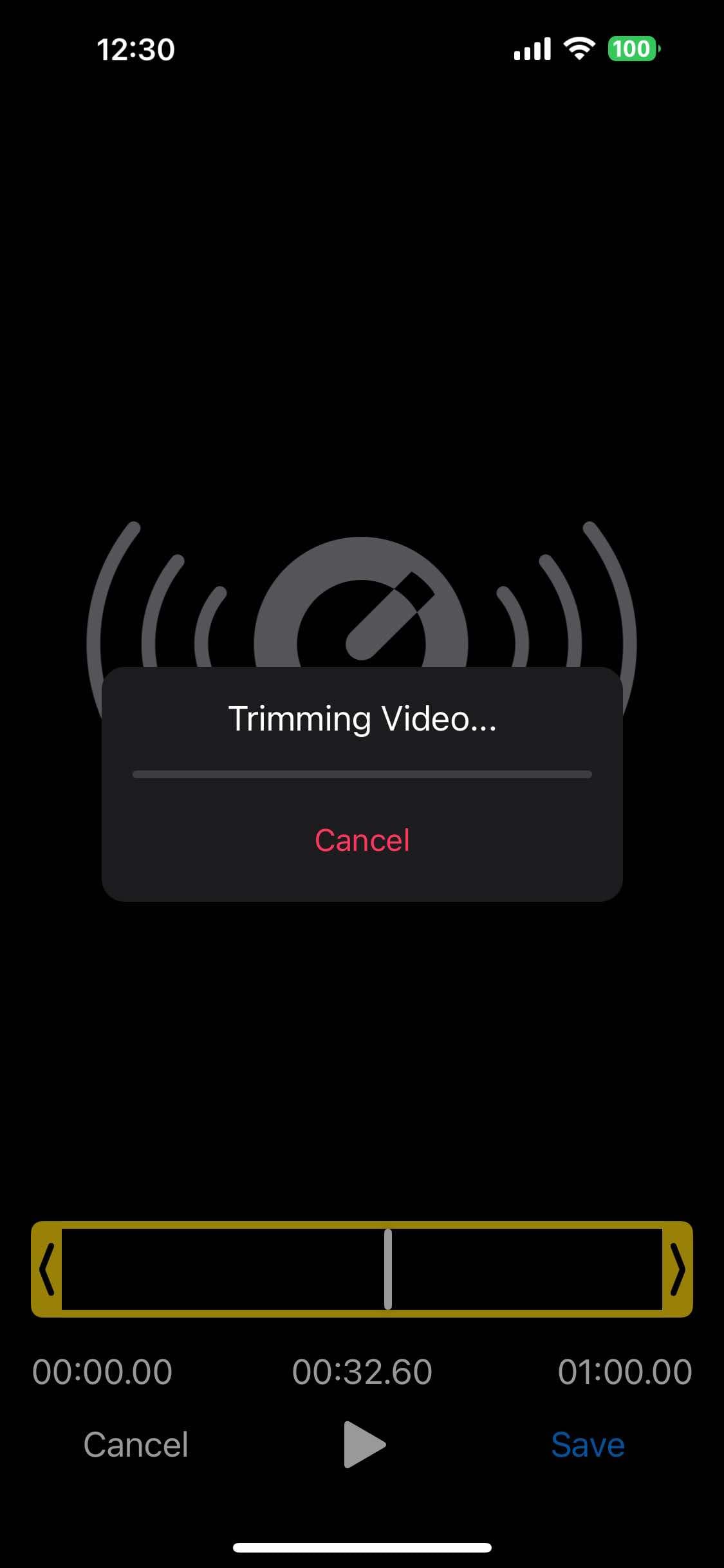
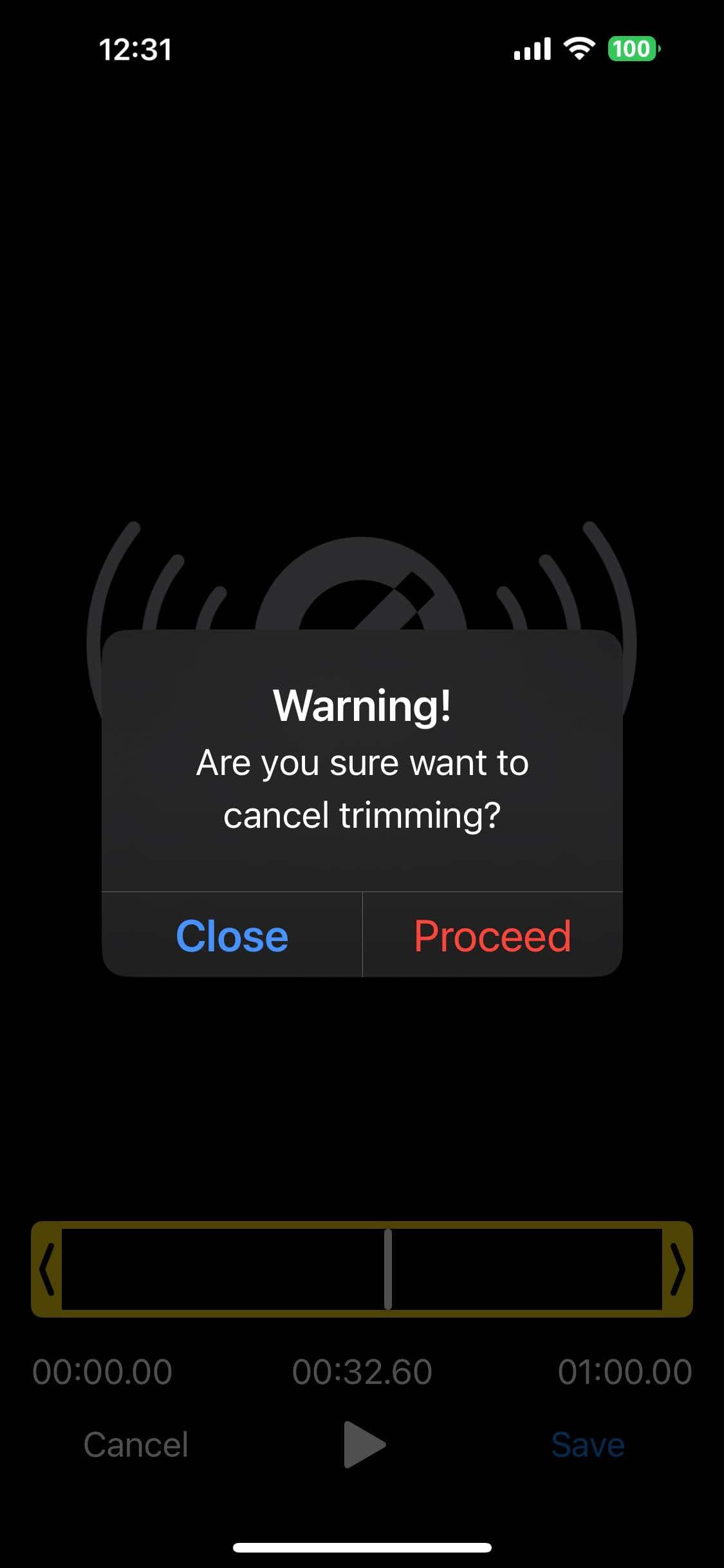
While the file is being processed, the editor shows a progress dialog with trimmingText. When enableCancelTrimming is true (the default), the user can stop the trim; the editor then emits onCancelTrimming.
showEditor(videoUri, {
  trimmingText: 'Processing video...',
  enableCancelTrimming: true,
  cancelTrimmingButtonText: 'Stop',
  enableCancelTrimmingDialog: true,
});
To show your own progress UI elsewhere, listen to onStatistics, which carries FFmpeg's position (time, in ms) and speed. See Events.
A complete configuration
showEditor(videoUri, {
  // range
  maxDuration: 60_000,
  minDuration: 3_000,

  // output
  saveToPhoto: true,
  removeAfterSavedToPhoto: true,
  openShareSheetOnFinish: true,

  // audio and speed
  removeAudio: false,
  speed: 1.0,

  // appearance
  theme: 'light',
  headerText: 'Trim your video',
  cancelButtonText: 'Back',
  saveButtonText: 'Done',
  trimmerColor: '#007AFF',

  // behaviour
  autoplay: true,
  enableCancelTrimming: true,
});